1. eDP Is an Interface, Not a Particular Cable
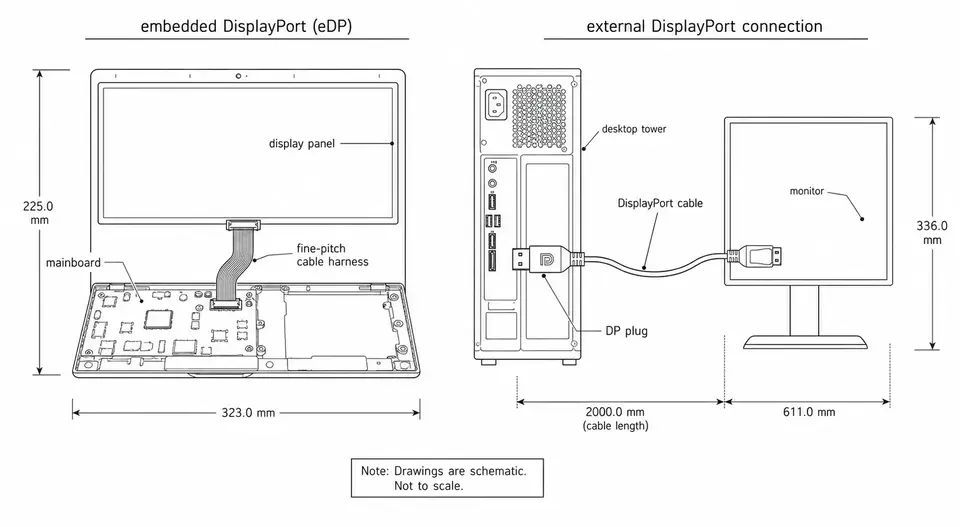
Let's clear up a point that gets confused a lot. eDP stands for Embedded DisplayPort — an internal display interface VESA defined on top of DisplayPort, used to send the picture from the mainboard, GPU, or SoC to the screen. It specifies how the signal is encoded, negotiated, and how fast it runs — not what the cable looks like.
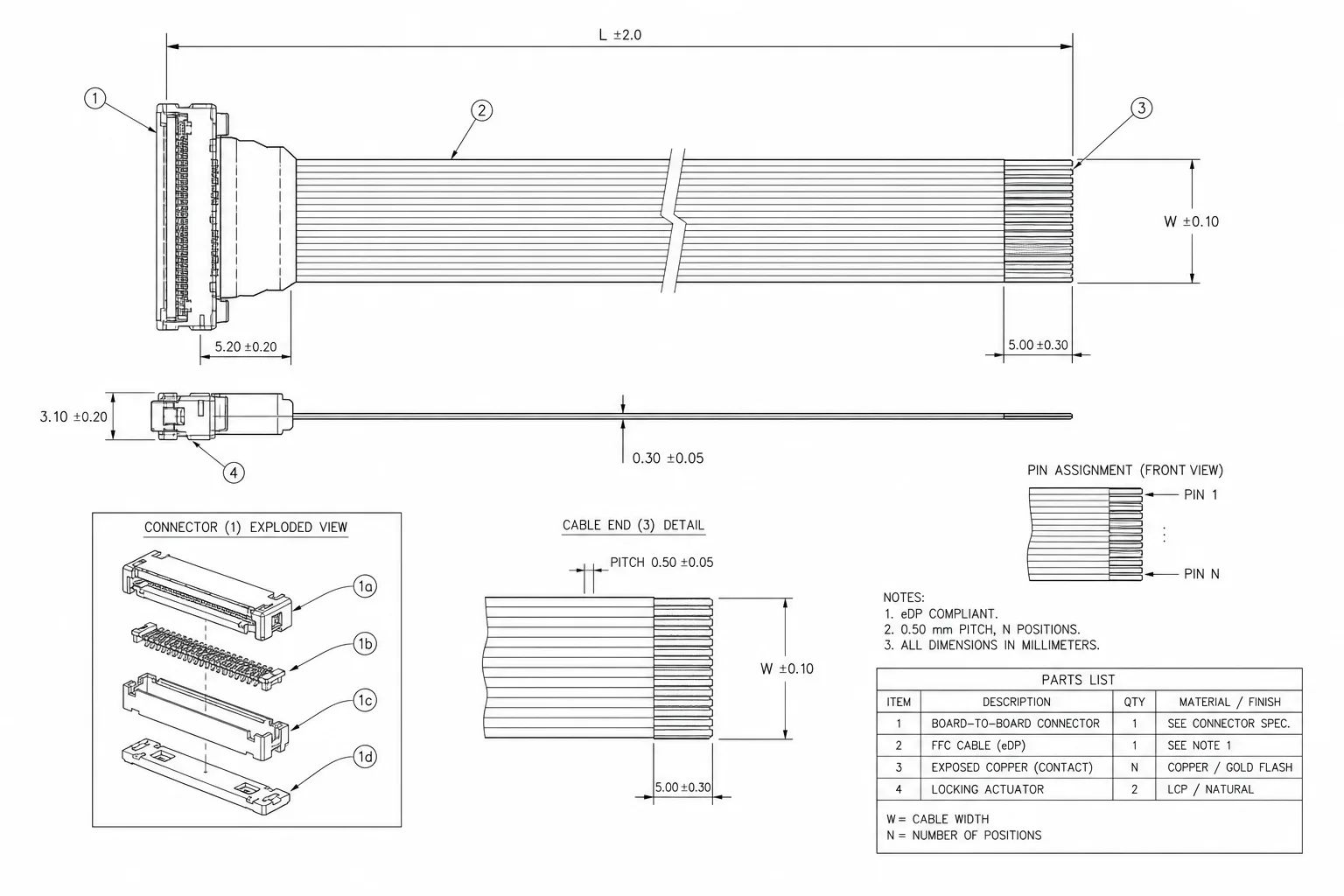
So strictly speaking, there is no single cable called eDP. The eDP standard defines the display link; the panel, mainboard, connectors, and their pin maps define the finished harness, including any panel-power or backlight-control conductors routed beside the link. Two harnesses both called "eDP cable," at 30 pins versus 40 pins or from different panel makers, therefore may not be interchangeable.
2. What Signals Run Inside an eDP Cable
Open up a typical eDP harness and the signals fall into roughly four groups:
| Signal | Role | What sets the count |
|---|---|---|
| Main Link | High-speed differential pairs carrying the picture data | Lane count (1/2/4); higher resolution uses more |
| AUX | Bidirectional low-speed channel for link training, reading EDID, and control | Usually 1 pair |
| HPD | Detects connection and hot-plug status | 1 wire |
| Panel power and backlight control, when present | Conductors that may share the harness but are assigned by the panel and mainboard pin maps | Varies by panel power and backlight scheme |
What makes a cable hard or easy to build is usually those Main Link pairs. They run Gbps-class signals, sensitive to impedance, intra-pair skew, and shielding; the power and control lines are far more forgiving. That's why two eDP cables with the same pin count can differ a lot in build quality — the gap hides in how the high-speed pairs are handled, not in the visible pin count.
3. Why It Took Over from LVDS
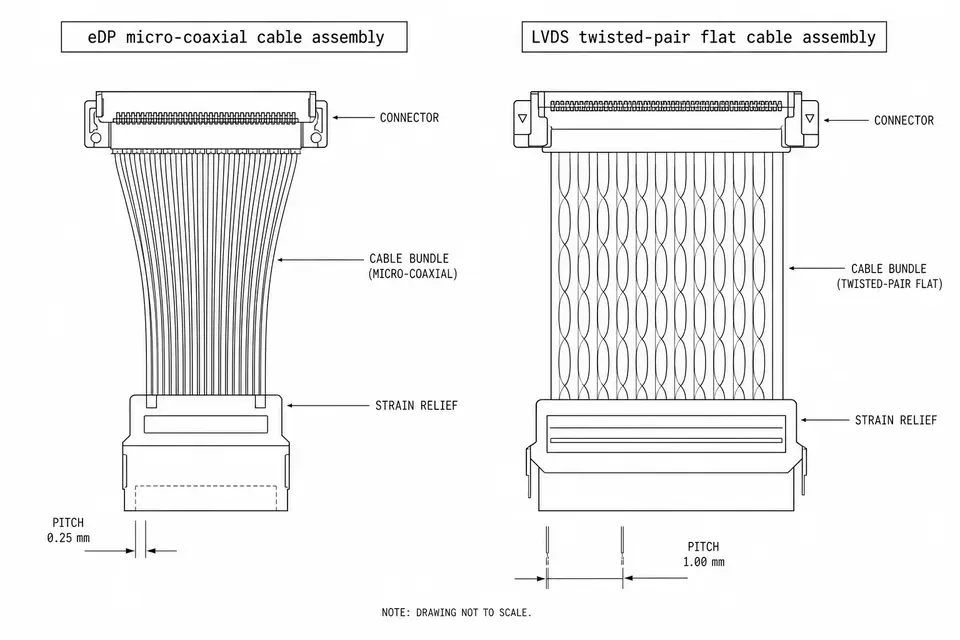
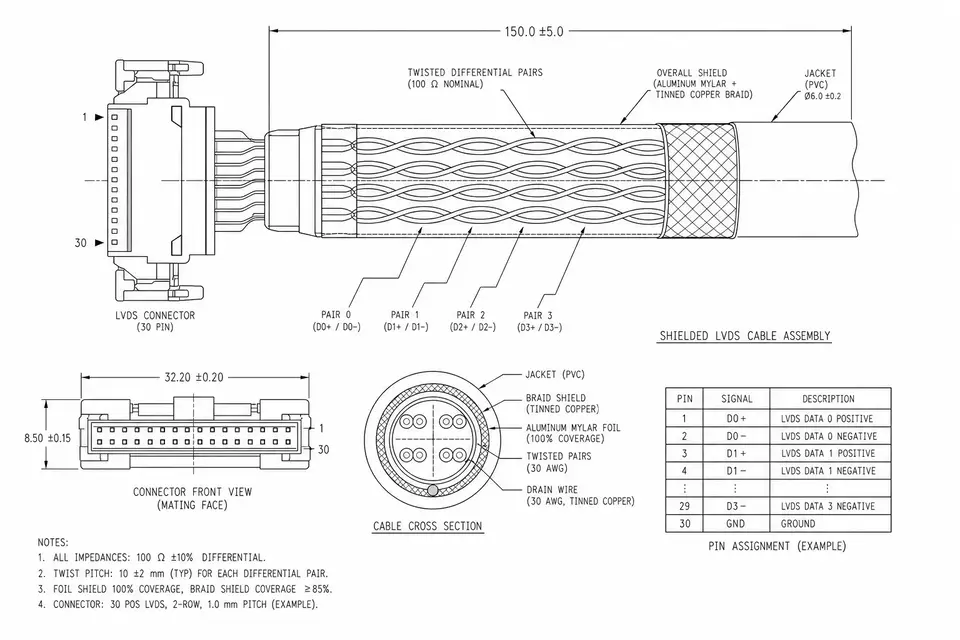
eDP gradually replaced LVDS in laptops and display modules, not on a single overwhelming advantage. It moves data in packets, so a few differential pairs carry the resolution that once took LVDS more than a dozen wires; with a new enough version it also supports DSC compression and PSR power saving. Fewer wires mean a more compact connector, and routing and weight come down with them.
If you're choosing between the two interfaces, this isn't the place to dig in — eDP vs LVDS covers the differences and migration cost in more detail; to understand LVDS itself first, see What Is LVDS.
4. Version, Connector, Pinout: Three Easy Traps
eDP has versions like 1.3, 1.4, 1.4a, 1.4b, with per-lane rates from RBR and HBR up to HBR2 and HBR3. The version isn't a numbers game — it decides whether a cable can feed a given high-resolution or high-refresh panel, and whether the mainboard and screen sides line up. The eDP version and lane configuration printed in the panel datasheet are a hard constraint the harness design can't work around.
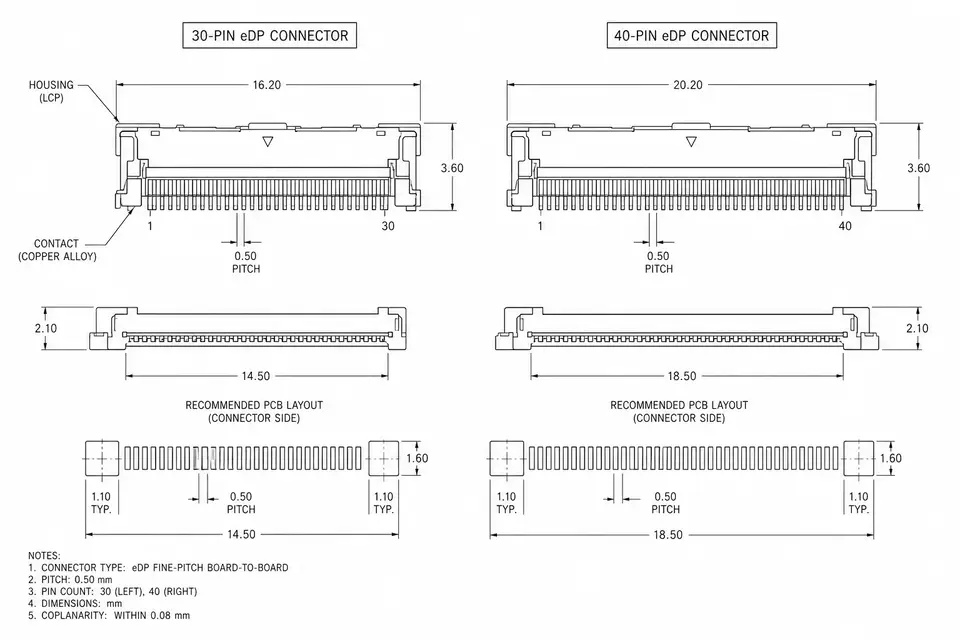
On the connector side, the most common are the I-PEX series (20453, 20455, Cabline, etc.) and board-to-board connectors like JAE; among pin counts, 30-pin and 40-pin show up most. But the same pin count doesn't mean the same pinout: across panel makers, the same 40 pins can arrange backlight, power, and lane order completely differently. That's exactly why "give me a 40-pin eDP cable" usually can't be ordered as-is. To get to a concrete direction, see 30-Pin eDP Cable, 40-Pin eDP Cable, and I-PEX 20455 eDP Cable, and confirm the model and pinout before going further.
5. Why an eDP Harness Isn't "Just Plug It In"
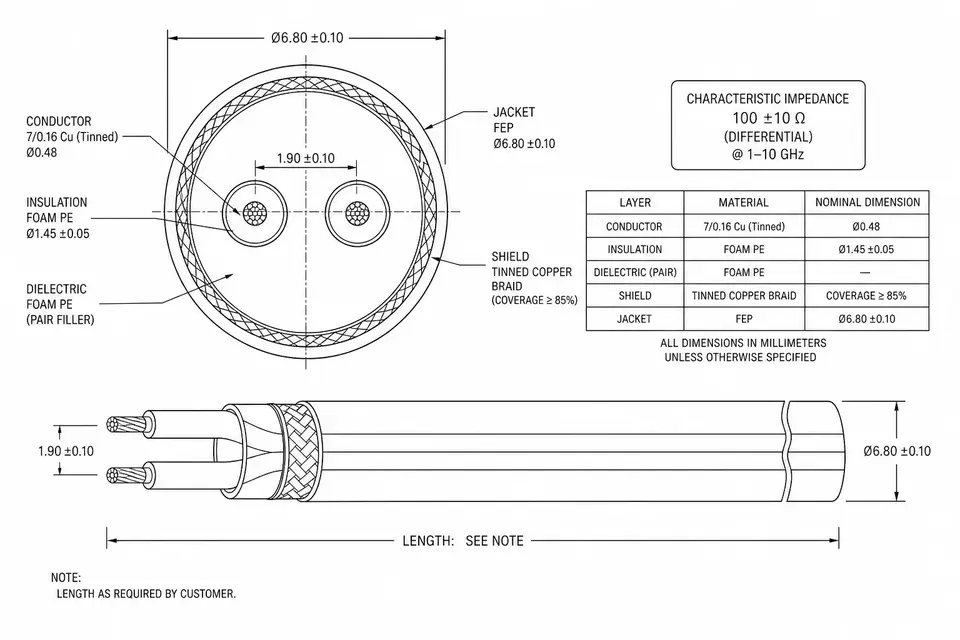
eDP's high-speed differential pairs are usually controlled to 100 ohm differential impedance, and the faster the rate, the more signal quality depends on a controlled structure. In practice the high-speed lanes often run on micro-coax, paired with fine-pitch termination, shielding, and intra-pair length matching; let any one of these slip and the sample may still light up while the production run throws intermittent flicker or no-display. Impedance on its own is clearer in What Is Impedance Control.
That's also why picking a supplier for high-speed display harnesses is worth a few extra questions: are the high-speed pairs impedance- and continuity-checked, can they provide lot records, are they produced under an ISO 9001 quality system; and for medical displays, whether they run an ISO 13485 process. The real gap tends to show up between the first cable and the ten-thousandth.
6. Sometimes What You Need Isn't Standard eDP
Not every display project should lean toward eDP. If the panel itself is an LVDS interface, forcing eDP is neither practical nor necessary; when resolution and refresh run high, confirm the version and DSC support rather than assuming any eDP cable will do; and if the link only carries low-speed or non-display signals, eDP is overkill. Pin down which tier the need falls in first, then talk about how the cable is built — it saves a fair amount of rework later.
7. Before the RFQ, Have These Ready
| What to prepare | Why it matters |
|---|---|
| Panel model or datasheet | The most important — sets version, lane, pinout, and power |
| Connector models at both ends | Determines mating, pitch, and termination |
| Pinout or wiring diagram | Same pin count, different definition, not interchangeable |
| Length and routing path | Affects impedance, loss, shielding, and assembly |
| Device and environment | Sets inspection focus and materials |
| Quantity and stage | Separates sample, pilot, and production pace |
Coming to the table with a panel datasheet and connector models beats "I need an eDP cable" by a wide margin. The rest — version matching, impedance, termination — engineering can take from there.
8. Related Applications and Articles
- eDP Cable Assemblies
- 30-Pin eDP Cable
- 40-Pin eDP Cable
- I-PEX 20455 eDP Cable
- Further reading: eDP vs LVDS, 30-Pin vs 40-Pin eDP, What Is Impedance Control