How Far Can This LVDS Link Actually Run?
LVDS has no universal maximum cable length. Neither 2 m nor 5 m is automatically qualified: the exact transmitter, receiver, timing and installed channel must pass together. Start with the required route and a documented acceptance plan. A display that lights on a short bench cable does not establish margin at the final length.
TI's LVDS SerDes Gen I PCB and Interconnect Design-In Guidelines, AN-1108 treats cable length as application-dependent. Microchip's SAMA7D65 cable-length guidance similarly requires end-application validation of a 5 m implementation. That device-specific guidance is not a reach guarantee for another controller or panel.
Convert Pixel Clock to the Actual Lane Rate
Resolution alone does not define the channel. Obtain the complete display timing, including blanking, color mapping and single/dual-link arrangement. For the particular 7:1 mapping described by the DS90C385A transmitter and DS90CF386 receiver, each data pair carries seven bits per pixel-clock cycle. The arithmetic examples below use lane rate = 7 × pixel clock and unit interval (UI) = 1 / lane rate.
| Pixel clock | Rate per data pair | One UI |
|---|---|---|
| 40 MHz | 280 Mb/s | 3.571 ns |
| 65 MHz | 455 Mb/s | 2.198 ns |
| 85 MHz | 595 Mb/s | 1.681 ns |
These are calculated timing examples, not measured cable results. The cited receiver supports pixel clocks up to 85 MHz; the transmitter's separate maximum does not raise that receiver limit. The 7:1 multiplier is not a rule for every LVDS device. UI is also not the allowable skew: endpoint timing, jitter and channel mismatch consume the sampling margin.
Separate Skew, Loss and Installed Noise
For a clock-forwarded display link, measure each data pair's timing against the clock pair across PCB traces, connectors and cable. Distinguish this data-to-clock skew from mismatch between the two conductors within a differential pair, which can degrade balance and produce common-mode conversion. Twist consistency affects construction; it is not a third timing allowance. TI's FPD-Link I RSKM application note, SNLA249 explains checking the seven bit positions and taking the smallest left/right margin for its specified devices. Do not turn one device's timing value into a universal millimetre or metre allowance.
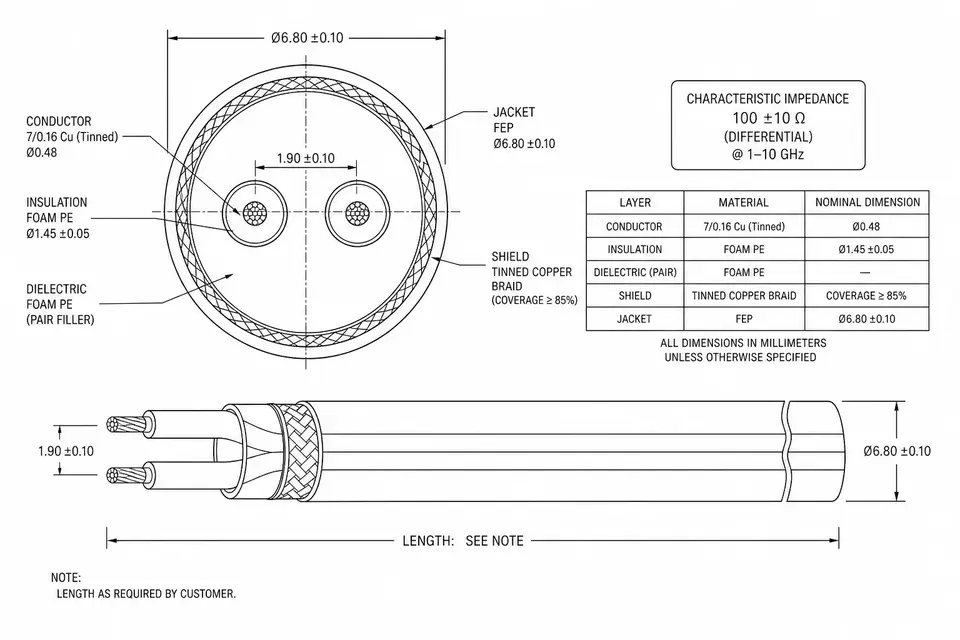
Channel loss depends on frequency, conductor and dielectric construction, reference geometry, transitions and length. A change from 32 AWG to 28 AWG cannot by itself qualify a longer route. Request construction-specific loss, impedance and skew data. Evaluate bend, motion, temperature and bundle size alongside the electrical design.
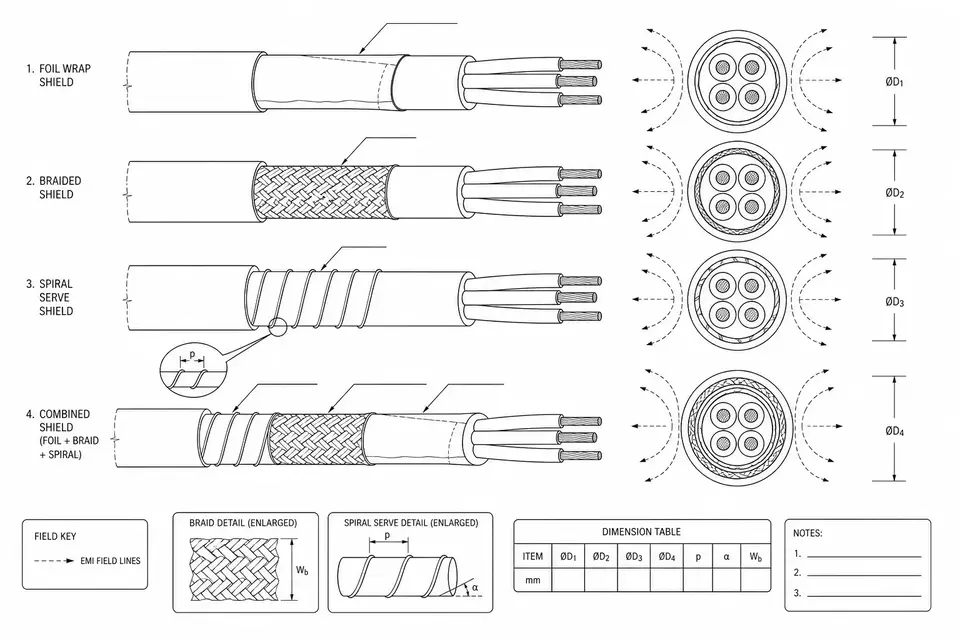
Noise immunity depends on balance, receiver common-mode range, return path, shield termination and coupling from the installed environment. A shield does not repair an undefined return path. See Cable Shielding Basics and Shielded LVDS Routing. Use any pre-emphasis, equalization or buffer only when the exact endpoints support it and the complete configuration has been qualified; a generic LVDS label does not establish those features.
Build a Reach Budget Before Naming a Length
| Budget input | Evidence to collect | Decision produced |
|---|---|---|
| Source and sink | Exact devices, mapping, clock/data rate and input/output limits | Endpoint operating case |
| Uniform cable | Construction-specific loss, impedance and skew | Candidate construction and evaluated length |
| Discontinuities | PCB launches, connectors and fixture effects | Complete channel measurement plan |
| Noise and return | Chassis connection, shield ends and nearby sources | Installed EMC test conditions |
| Mechanics | Route, bends, motion and temperature | Assembly and installation limits |
| Validation | Pattern, duration, corners and error criteria | Written pass/fail plan and retained evidence |
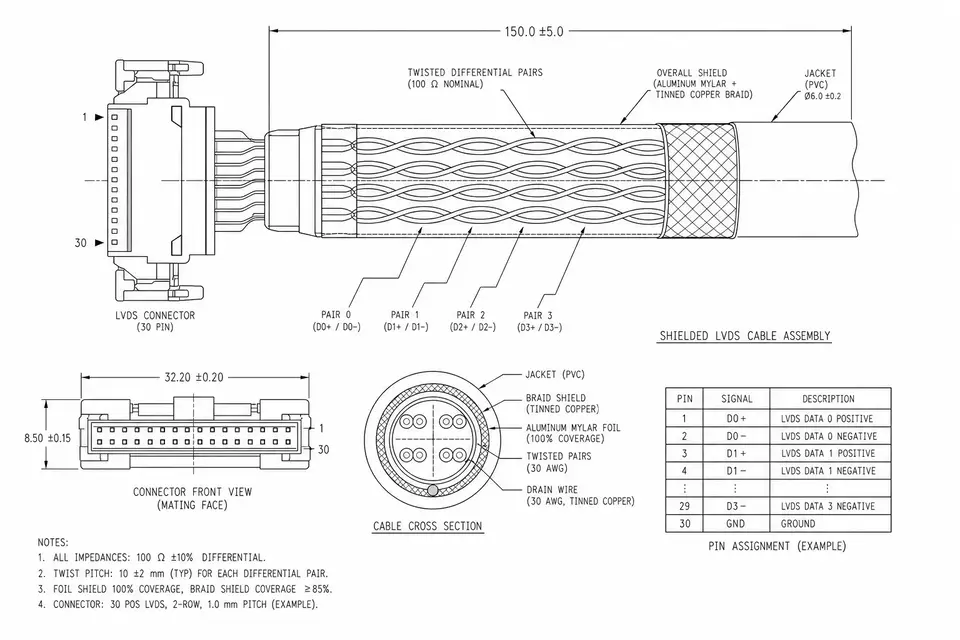
The existing LVDS Cable Assemblies family covers commercial construction choices. Industrial monitors and medical monitor routing have different installed constraints; neither application name qualifies a finished device.
Compare a 2 m Candidate with a 5 m Candidate
This is a proposed engineering experiment, not an EDPcable test report. Keep endpoints, timing, cable construction, pinout, connectors and measurement setup constant while changing length. Record the actual assemblies and revisions. If other variables change, document them and avoid attributing the outcome to length alone.
| Check | Record at each length | Hold or investigate when |
|---|---|---|
| Receiver signal | Differential eye and jitter at specified thresholds | Required eye/timing margin is not met |
| Data versus clock | Arrival offset for every data pair | Any sampling position loses its budget |
| Channel transitions | Loss/impedance evidence and fixture correction | A launch, connector or probe dominates |
| Functional errors | Test pattern, error count and elapsed time | Errors exceed the agreed criterion |
| Operating corners | Supply, temperature, startup and required modes | A required condition was omitted or fails |
| Installed route | Bend/motion state, grounding and noise exposure | Bench success is not reproduced in the product |
TI's LVDS Owner's Manual, chapters 6–7 provides a historical example of specifying the driver, receiver, cable, test points, patterns and measurement conditions before interpreting length results. Its thresholds and old cable measurements are not acceptance limits for a different display. Define those limits from the actual endpoint/system requirements and retain probe/fixture settings. A continuity test or a picture that looks stable cannot replace signal-margin and functional testing; zero observed errors should be reported with duration and operating conditions.
If 2 m passes and 5 m fails, that observation alone does not identify attenuation, skew or interference as the cause. Compare receiver waveforms and data-to-clock timing first, then isolate transitions, route and noise with one controlled change at a time. If failures occur at both lengths, also check pinout, polarity, mapping, supply and startup sequencing before blaming cable reach.
What to Send for an RFQ and a Release Decision
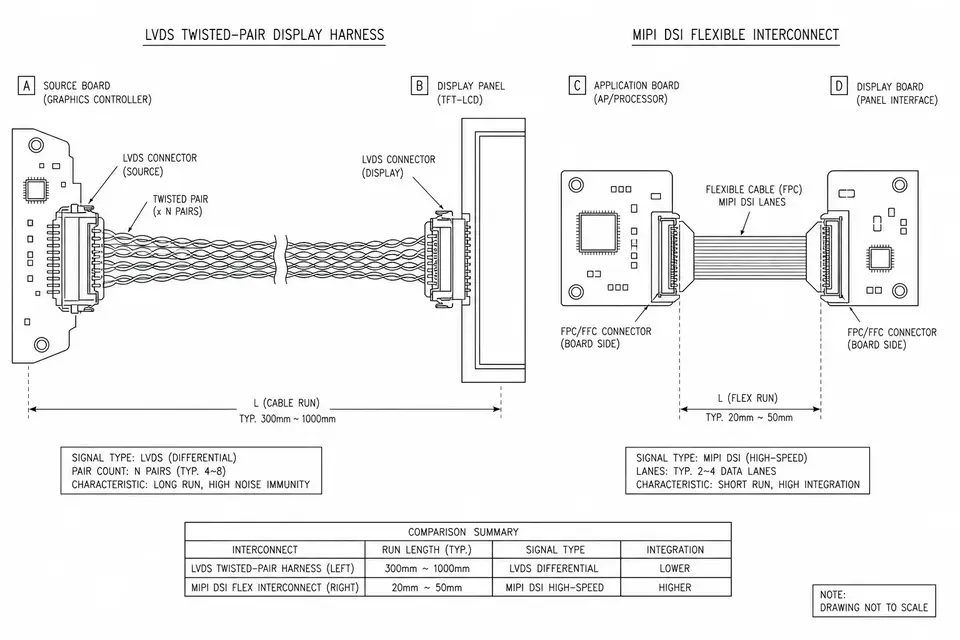
Send endpoint data sheets and revisions, full display timing, exact mating connectors/pinout, installed length and route, cable/mechanical constraints, grounding scheme, and the acceptance conditions above. Board-to-Panel LVDS organizes the application inputs; Electrical Test Planning and RF and Impedance Testing distinguish assembly checks from channel characterization.
Release only the evaluated construction, length, route and endpoint configuration, with the agreed margin and evidence. If the budget does not close, compare a supported rate/mapping change, a moved conversion point, a different route or a SerDes architecture designed for the required channel. Recheck compatibility and validate the revised system rather than promising that a shield or thicker conductor will buy a fixed extra distance. Build-to-Print Process Controls helps keep the accepted revision tied to subsequent builds.
Complete Routing Illustration
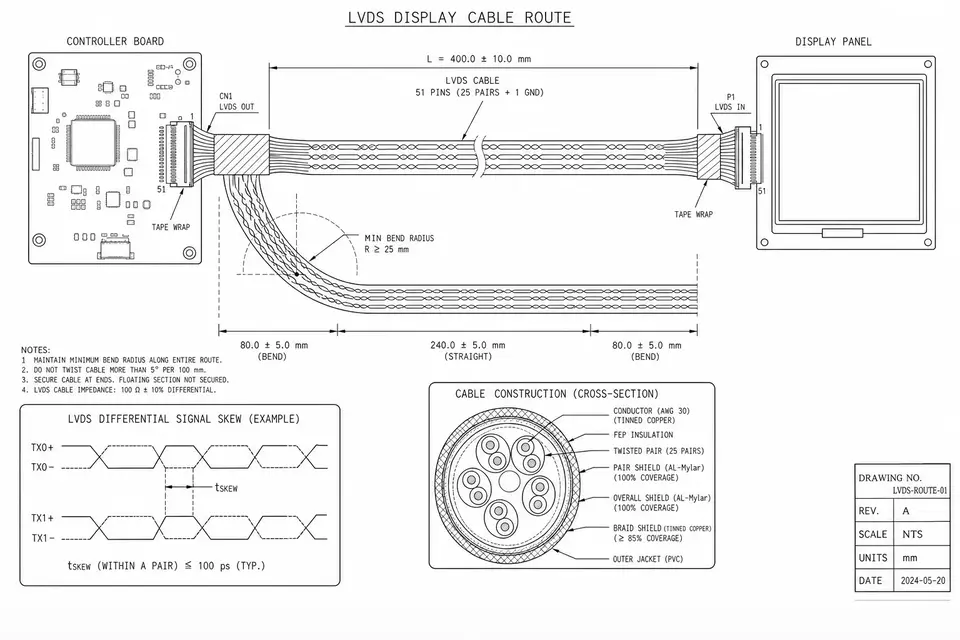
Illustrative routing drawing only. Its dimensions, pin count, bend and skew callouts are examples, not specifications for your project or evidence of a tested assembly. Open the complete drawing.