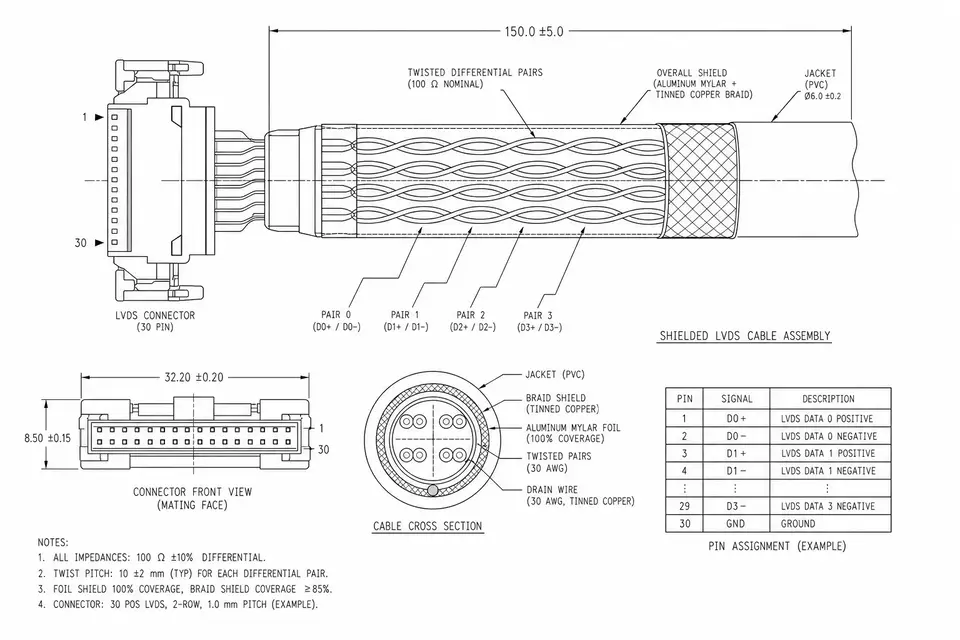
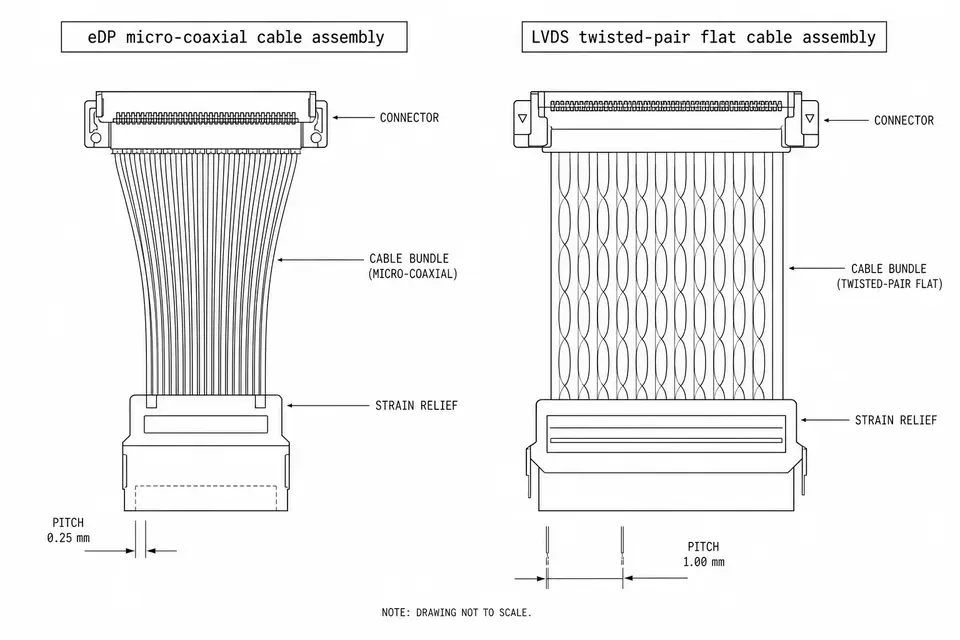
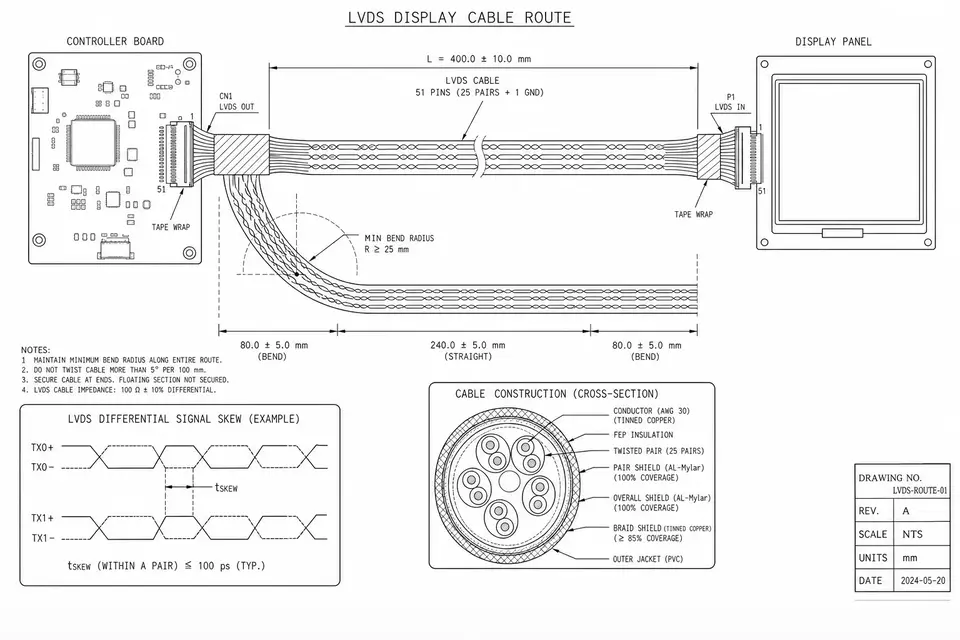
LVDS and DSI describe different boundaries
An LVDS display label does not define a complete panel link. Identify the transmitter, panel receiver, data mapping and link arrangement. MIPI DSI is a display protocol using a specified PHY; see the MIPI DSI overview. Sharing differential pairs does not make D-PHY interchangeable with an LVDS panel input. A passive pin adapter cannot translate these protocols.
Write the proposed path before ordering a harness:
host output → native PHY or bridge → board launch → connector → cable/FPC → connector → panel
Separate touch, panel power, reset and backlight control from the video path. Similar connectors can carry different signals and supplies. Start with LVDS fundamentals if the panel documentation uses an unfamiliar link name.
Compare the endpoints before the cable
| Check | LVDS | DSI |
|---|---|---|
| Signal | Tx and Rx | Host and PHY |
| Format | Panel map | Pixel mode |
| Timing | Pixel clock | Lane budget |
| Control | Panel setup | Driver setup |
| Route | Pair channel | PHY channel |
| Parts | Exact models | Exact models |
For LVDS, record single/dual-link operation, color depth, mapping such as JEIDA/VESA where applicable, clock edge, pinout and power sequence. For DSI, record protocol and PHY versions, lane count, supported lane rate, video/command mode and panel initialization. Check the actual carrier-board schematic and BSP, not only the processor's advertised capability. A CSI camera port is not a DSI display host.
Use the panel's complete timing table, including blanking, when checking the video load. Then apply the host/bridge transfer mode and overhead rules. Active resolution multiplied by refresh rate and bits per pixel is only a starting estimate; it is not proof that a selected lane configuration will work.
Native DSI or a DSI-to-LVDS bridge?
Evaluate a native connection when host, panel and software support can be matched directly. If a DSI host must drive an LVDS panel, an active bridge is a candidate, with its own power, clocks, configuration and output channel.
One concrete directional example is TI SN65DSI83: DSI input to single-link LVDS output. This example does not establish compatibility with your panel. Check its data sheet against both endpoints; a dual-link panel, unsupported pixel format or different operating mode requires another design decision. Do not infer reverse conversion from the same part number.
Define the board-to-panel assembly from the bridge output and panel input requirements. The bridge does not approve a generic twisted-pair or shielded cable. If eDP is another available endpoint, use eDP vs LVDS as a separate comparison.
Reach and EMI belong to the complete channel
There is no universal DSI centimetre limit or automatic LVDS EMI advantage. The D-PHY overview includes extended-channel use cases, but support depends on the implemented version and mode. DSI-2 adds PHY options; that does not upgrade an older DSI host or receiver.
Review board traces, connector transitions, pair balance, return paths, shielding/ground termination, bends and the final enclosure together. Obtain endpoint limits and define a system test plan at the target timing and operating conditions. A longer cable, a stronger shield or an interface name alone cannot establish margin. See LVDS cable reach for the channel evidence to collect.
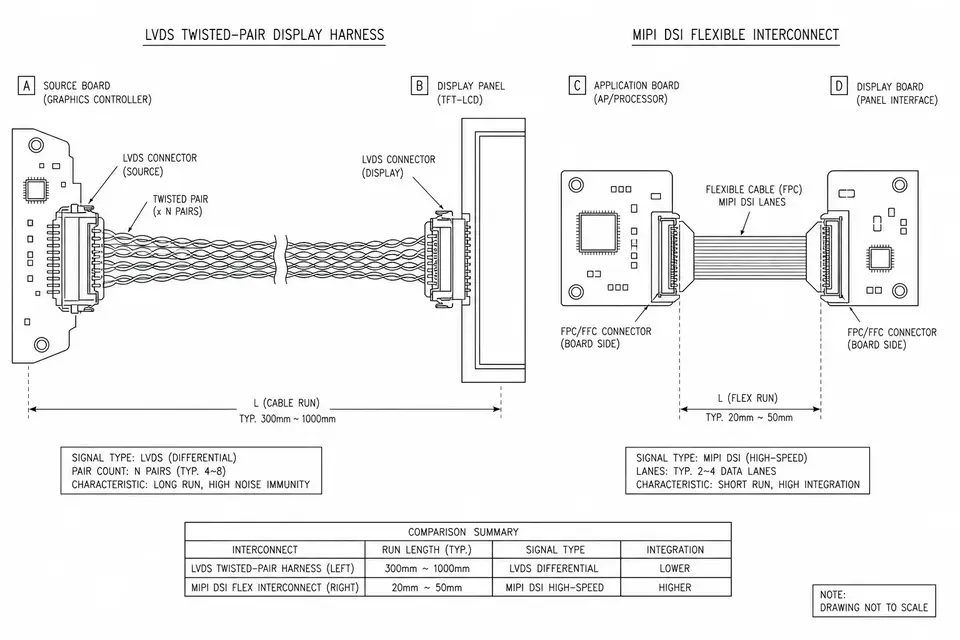
The drawing is a topology illustration. Its printed lengths, wire styles and EMI labels are illustrative, not universal limits, pinouts, noise ratings or validated assembly specifications. The endpoint data sheets and full-channel tests govern the design. Open the complete original drawing.
Bring-up checklist for a blank or unstable display
- Confirm panel rails, reset and backlight sequence against the panel documentation. Backlight alone does not prove the video path works.
- Confirm the board's enabled display output and pin mapping. Keep CSI and DSI separate.
- Match timing, color mapping, lane/link count and driver initialization to the selected panel and bridge.
- Check connector orientation, wire map, pair polarity and assembly condition before changing software parameters.
- Compare a documented reference setup with the final cable route and enclosure, changing one variable at a time. Save settings and observations.
- Repeat startup and target-mode tests under the agreed product conditions. A symptom alone does not identify the cable as the root cause.
What to send for an assembly RFQ
Send exact host/bridge/panel models and data sheets, schematics, timing and configuration, connector part numbers and contact views, pin map, route drawing, length tolerance and environmental requirements. Include a known-good sample when available and distinguish prototype, first-article and production acceptance criteria.
For a 20–50 pin LVDS assembly, pin count is a discovery filter, not a compatibility specification. Use build-to-print manufacturing to define the approved construction and electrical test planning to define wire-map and insulation checks. Those release checks do not replace display-link or device qualification. Confirm lifecycle and change-notice terms for exact parts instead of promising a fixed number of years.